Google Business Profile Scraper
Instantly extract Google business profiles data and generate B2B leads for any industry, anywhere in the world.
Why Use a Google Business Profile Scraper?
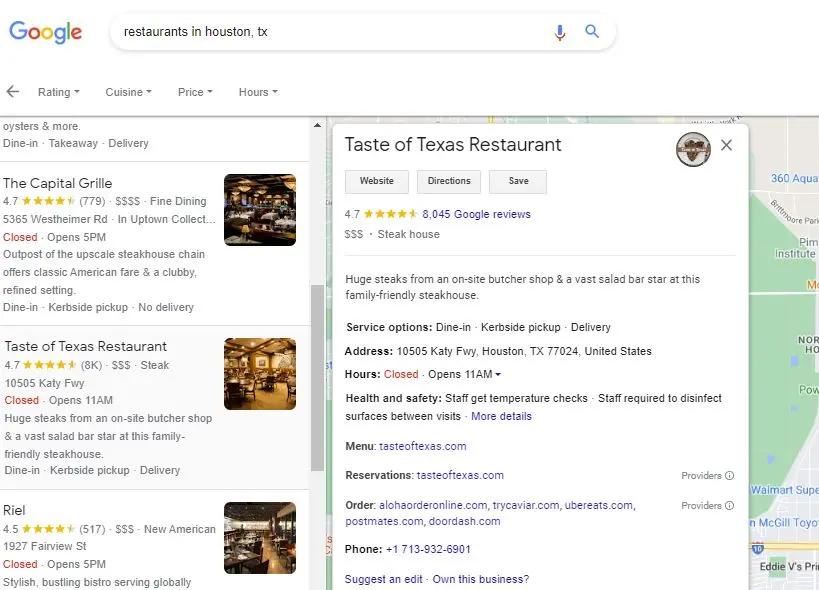
Google is the largest business directory. This tool automates extracting business data from Google Business Profiles, saving you hours of manual work and generating fresh, accurate leads.
- Extracts emails, phones, websites & addresses
- Saves time by automating lead collection
- Works like a real user to avoid blocks
- Exports clean data into Excel/CSV
- Trusted by marketers, agencies & sales teams
Key Features of the Google Business Profile Extractor
More than just scraping: a complete Google Business Profile leads extractor for agencies, businesses, and professionals who need accurate data for outreach and growth.
Extracts Contact Data
Extracts emails (from business websites), phones, and all profile data.
Accurate and Fresh
All extraction is done on your PC. Data is always fresh and targeted to your needs.
No Tech Skills Needed
Just enter your search terms and let the tool do the rest. Export results to CSV/Excel.
Always Updated
We update the software whenever Google changes, so you can keep scraping without interruption.
Ready to build your prospect list?
Start Free, Upgrade Anytime
Test the free version first. See exactly how the tool works and what data it extracts before purchasing the full version. Upgrade anytime to unlock unlimited results and advanced features.
Business Data Extracted from Google Business Profiles
- Search Keyword
- Business Name
- Address
- Website
- Rating
- Review Count
- Business URL
- Address Breakdown (Street, City, State, ZIP)
- Category
- Description / Summary
- Services Offered
- Pricing Level ($$$)
- Image URL
- Google Place ID
- Phone Number
- Email (from website)
- Social Media Profiles (from website)
- Working Hours
- Areas Served
- Featured Reviews
- Advanced Insights (Links to Appointments, Reservations, Web Results, Social Posts etc)
- Note: Data fields are extracted only if they are available on Google for each business. Availability varies by category—for example, pricing is usually shown for restaurants, while services, products, or appointments may only appear for certain business types.
- Extracts emails and social media links directly from business websites (when available).
- Free version captures only the first few results; the paid version extracts all available results for your search.
- Download a sample CSV file to see exactly what fields this scraper provides.
Google Business Profile Scraper Pricing & Plans
Whether you’re a solo user or an agency, our Google Business Profile scraper makes bulk data collection simple.
Payment for all the plans is made only once, there is no monthly or yearly subscription, license will expire after the allowed period. For any additional features or enterprise pricing, please contact us.
Basic
For a single user.
- License valid for 6 months
- Extract unlimited businesses
- Use the app on 1 PC
- Automatically run multiple searches
Pro
For growing businesses.
- License valid for 6 months
- Extract unlimited businesses
- Use the app on 3 PCs
- Automatically run multiple searches
Plus
For agencies and teams.
- License valid for 6 months
- Extract unlimited businesses
- Use the app on 10 PCs
- Automatically run multiple searches
Prices are in USD. Taxes may apply.
Create a text file with all your search terms, one per line. Use that file with the scraper and it will automatically perform all the searches. This feature is only available in Pro and Plus plans.
Download Google Business Profile Scraper
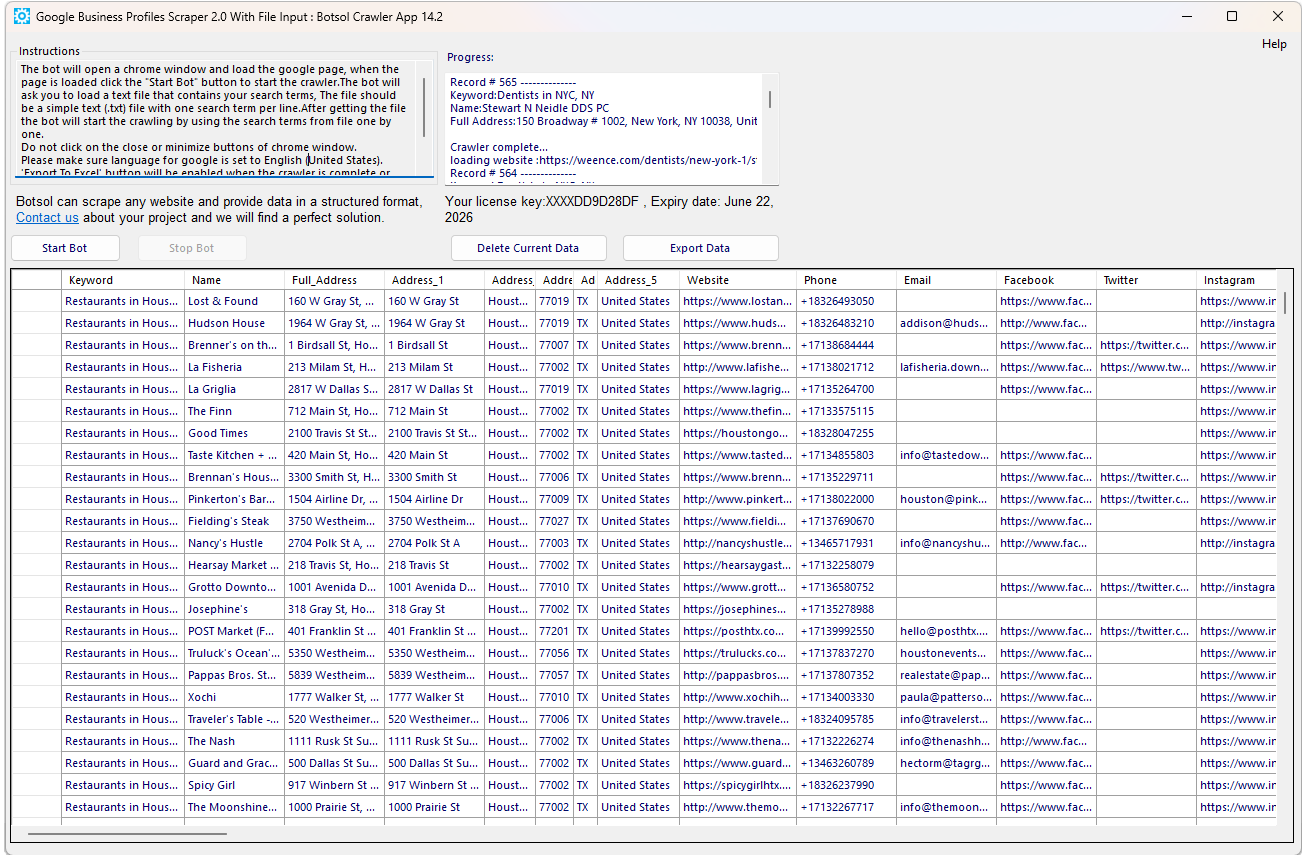
Google Business Profile Scraper App Screenshot
Below is a screenshot of the paid version.
Google Business Profile Extractor FAQs
Find answers about using the Botsol Business Profile Scraper and how it helps you collect business leads efficiently.
Search Source:
This tool starts searches from Google.com (for example: “restaurants in Houston, TX”) and extracts data from the local search results.
The Google Maps scraper starts directly from Google Maps.
Data Differences:
This scraper may extract slightly different data fields compared to the Google Maps scraper. These differences depend on what information is available on each platform. You can refer to the data fields listed on this page for full details.
Number of Results:
Google Maps typically limits results to around 120 listings per search.
This scraper can return more than 120 results per search when additional results are available.
Recommendation:
We highly recommend trying the free version before purchasing. This is the best way to understand how the scraper works and how it differs from other scrapers.