If you want to buy Botsol’s Google Maps Scraper, there are 3 available plans that you can buy, the most popular plan is PRO plan, it has all the features and this license can be used on 3 PCs.
If you buy this plan, you will receive an email from Botsol which will have 2 license keys, please see the sample email image below.
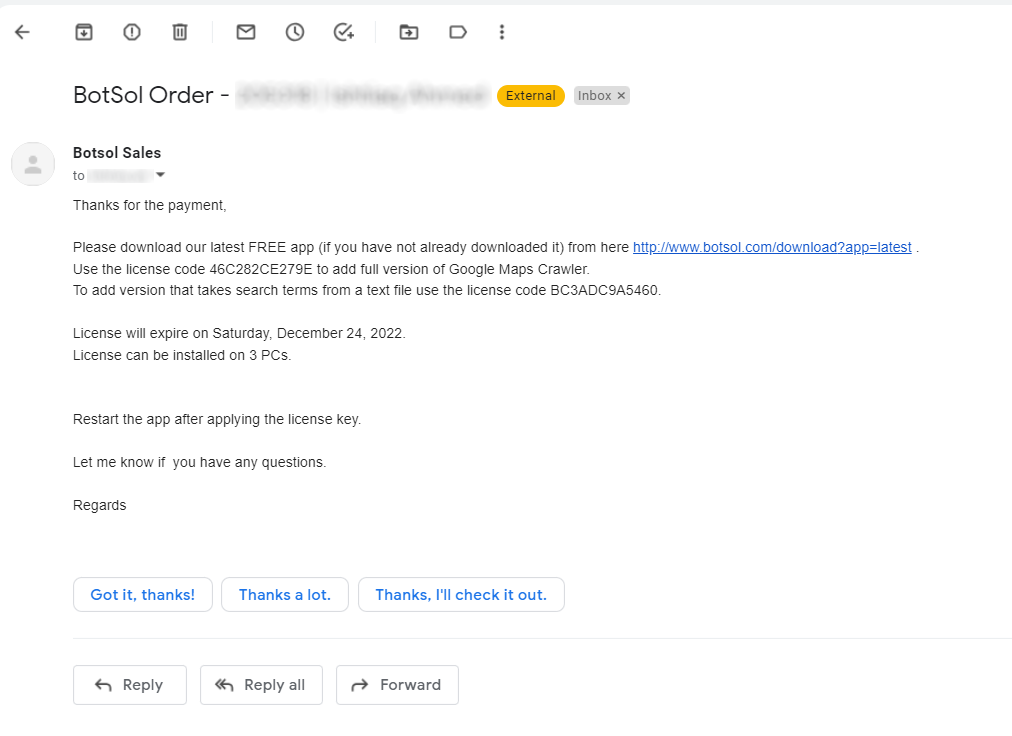
Lets see how you can apply these license keys and use the crawlers.
If you have not installed the botsol crawler app, you can download Botsol Crawler from here and install it. When its installed it will already have the free versions of different crawlers.
How to apply the license keys:
1: Run the botsol crawler app.
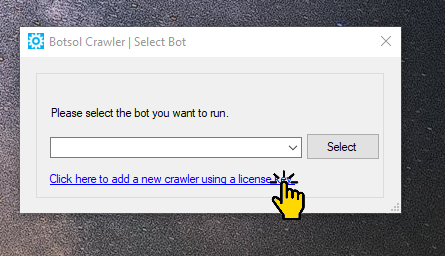
2: From the first app window, click on the link that says “Click here to add a new crawler using a license key.”
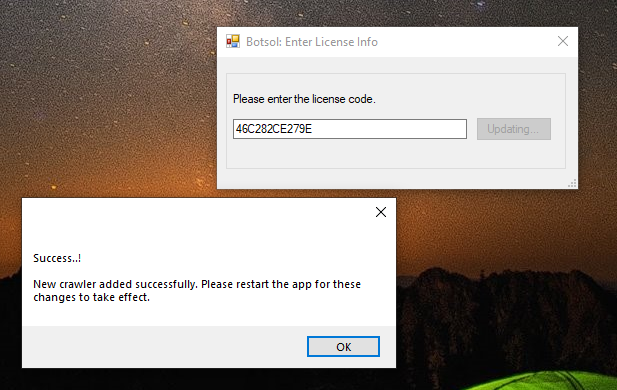
3: A new window will appear where you can enter your license key, enter the license key and click Update button, Its better if you copy the license key from email and past it instead of manually typing it so that there is no typo. When the license is applied you will see a success message, same as shown in image below, you should repeat this process to add the other license key also.
4: Now restart the app, You will see two new crawlers in the list to choose from, as shown in the screenshot below.
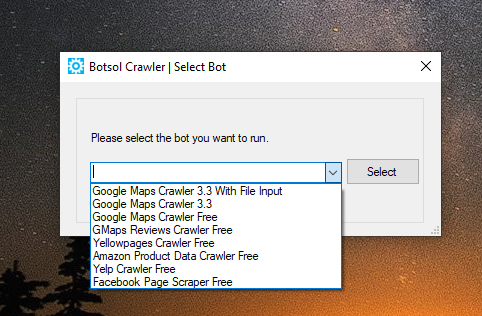
Newly added crawler are
Google Maps Crawler 5.0
Google Maps Crawler 5.1 Auto Search.
How to run the new google maps crawler with automatic search:
The first crawler “Google Maps Crawler 5.0” is with the manual search, you will enter your search term manually and then start the crawler to extract data. “Google Maps Crawler 5.1 Auto Search” is the one that you need to perform searches automatically one after the other, Lets select this and click Select button. The names can be a little different for every version of the crawler, version number can be different.
It will open the main crawler window and also open the chrome browser window and load google maps page. Read the instructions shown on the window carefully and follow them.
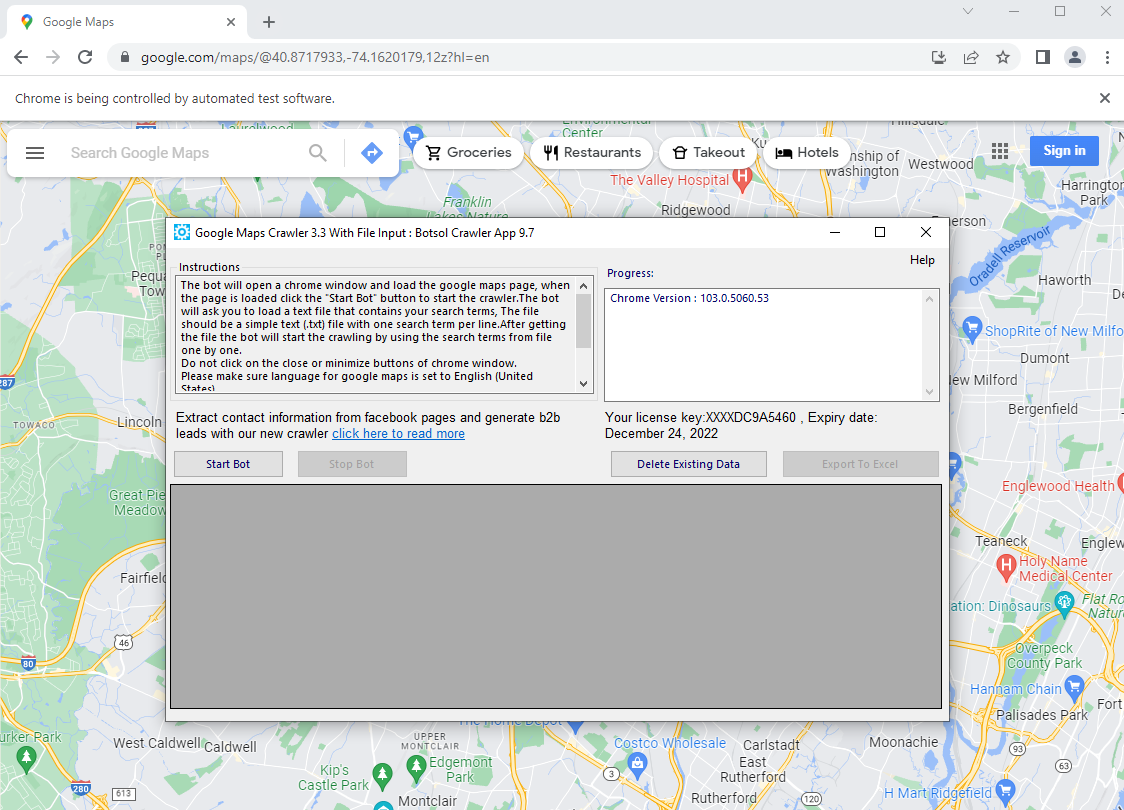
Click the “Start Bot” button, it will ask you to select a few options before the crawler actually starts.
a: Do you want to scrape email and other social media links from business website? (it can slow down the crawler speed). Select Yes or NO. We ask this because extracting emails take time, you should select Yes only if the email is important for you, otherwise click No, so that the crawler can run faster.

b: “How many records you want to scrape for each search.(leave default value 9999 if you want to scrape all.)”

Maximum number of business you want to extract from each search, default is 9999 which means it will extract all search results. You can enter what you need, for example if you only want to extract top 5 businesses from a search enter 5.
c: “Delay between opening each business (in seconds),enter any number.” The delay between extracting each business, its ok if you just leave the default value here which is 1.

d: Please select a text file with search keywords (one keyword per line)

You should create a text file(.txt), all the searches that you want to perform automatically should be written in a simple text file (using notepad), one search term per line. Save the text file.

Click Browse button on Botsol app and select your file with the search terms, click Ok.
Now the crawler will start making searchs automatically one after another and extract data from each business that appear in the search results, it will go through all the pages. In the screenshot shown below you can see that it has extracted some business for the first search term and its still running..

If you have any questions or issues, you can contact botsol to get help.