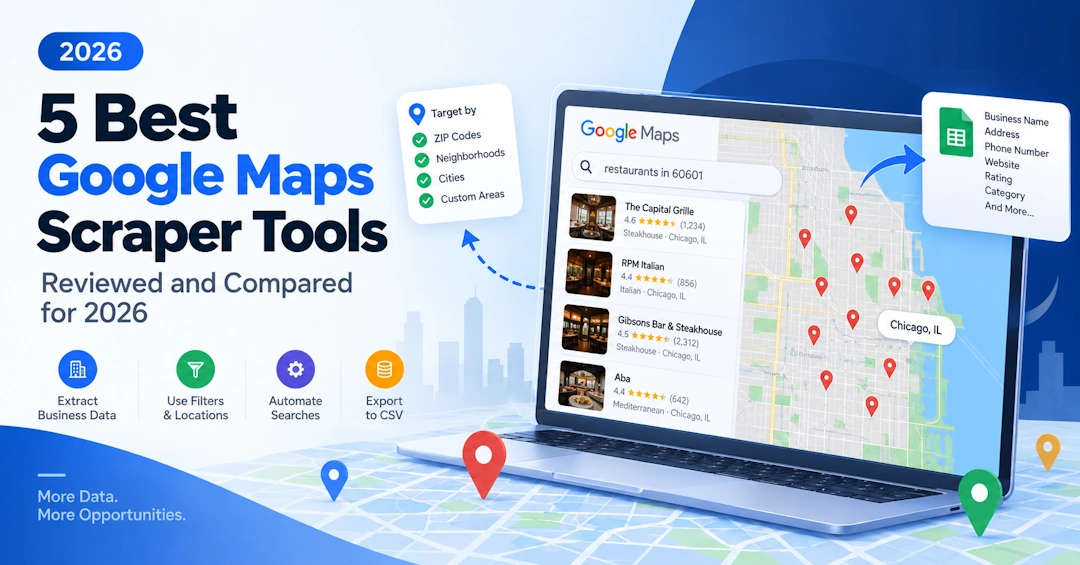
Google Maps is one of the most useful sources of local business information on the internet. Businesses use it to find leads, research competitors, build prospect lists, analyze local markets, and collect business information at scale.
But manually opening hundreds or thousands of Google Maps listings and copying their information into a spreadsheet is slow and repetitive. That is why Google Maps scrapers and crawlers have become popular.
There are now many tools available, but they do not all work in the same way. Some are cloud-based scraping services. Some are API-first platforms designed for developers. Others automate a browser on your own computer.
In this guide, we compare Botsol Google Maps Crawler with popular alternatives including Outscraper, Apify, PhantomBuster, and Octoparse.
We will look at pricing, data extraction, search flexibility, automation, Google Maps filters, local versus cloud scraping, website enrichment, ease of use, and the situations where each tool makes the most sense.
Google Maps Scrapers Compared
| Feature | Botsol Google Maps Crawler | Outscraper | Apify | PhantomBuster | Octoparse |
|---|---|---|---|---|---|
| Google Maps scraping | Yes | Yes | Yes | Yes | Yes |
| Runs on your Windows PC | Yes | No | No | No | Yes |
| Cloud execution | No | Yes | Yes | Yes | Yes |
| Manual Google Maps search | Yes | Limited | Depends on scraper | Depends on workflow | Depends on setup |
| Use Google Maps filters directly | Yes | Depends | Depends | Depends | Depends |
| Map zoom / Search this area | Yes | Limited | Depends | Limited | Depends |
| Website enrichment | Yes | Yes | Available | Available | Depends |
| Email extraction | Yes | Yes | Available | Available | Depends |
| Social profile extraction | Yes | Yes | Available | Available | Depends |
| Bulk searches | Yes | Yes | Yes | Yes | Yes |
| CSV / Excel export | Yes | Yes | Yes | Yes | Yes |
| API-first workflow | No | Yes | Yes | Yes | Yes |
| Custom automation | Yes | Limited | Yes | Yes | Yes |
| Best suited for | Local, browser-based Google Maps scraping | Pay-as-you-go cloud extraction | Developers and automation | Marketing automation | General web scraping |
Features and pricing can change. Always check each provider's current documentation before starting a large project.
What Is a Google Maps Scraper?
A Google Maps scraper is software that automates the process of collecting information from Google Maps business listings.
Depending on the tool, extracted information can include:
- Business name
- Business category
- Address
- Phone number
- Website
- Rating
- Review count
- Opening hours
- Price information
- Coordinates
- Google Maps URL
- Email addresses
- Social media profiles
- Other information available from the business website
A scraper can save the information in a structured format such as Excel or CSV, making it easier to use for lead generation, research, analysis, or other business processes.
Google Maps Scraper vs. Google Maps Crawler
Google Maps Scraper and Google Maps Crawler generally describe the same type of software: a tool that automatically visits Google Maps and collects business information.
Botsol calls its product the Google Maps Crawler, while Google Maps Scraper is the more common search term used by people looking for this type of tool. In this article, we use both terms because they refer to the same general category of software.
How Botsol Google Maps Crawler Works
Botsol Google Maps Crawler takes a different approach from a typical cloud-based scraping API.
It is a Windows application that automates the Chrome browser on the user's own computer.
The basic workflow looks like this:
Botsol → Chrome → Google Maps → Business listings → Business website → Export
You install Botsol on your Windows computer and run the crawler. It opens and controls Chrome, performs searches on Google Maps, goes through the businesses in the results, and extracts the information you need.
When a business has a website, the crawler can also visit that website and look for additional information such as email addresses and social media profiles.
The important part is that you can actually see the process happening on your computer. Google Maps is opened in Chrome, the searches are performed, and the listings are processed in front of you.
Learn more about Botsol Google Maps Crawler
Local Scraping vs. Cloud Scraping
One of the most important differences between Botsol and many Google Maps scraping tools is where the scraping takes place.
With a cloud-based scraper, the basic process is usually:
You → Cloud service → Remote scraping infrastructure → Google Maps → Results → You
With Botsol, the process is:
You → Botsol → Chrome on your computer → Google Maps → Results
Your computer provides the processing resources needed to run the browser automation.
Why does that matter?
Lower cost
Cloud scraping providers need to operate servers, browser instances, networking infrastructure, storage, and other resources to run scraping jobs for customers.
Botsol uses the user's own computer for the scraping process. This helps keep the software cost relatively low.
The current Botsol Google Maps Crawler pricing starts at $50 for a six-month license on one PC. The Pro plan is $100 for six months and can be used on three PCs, while the Plus plan is $300 for six months and can be used on ten PCs.
You can see what is happening
The browser is running on your own computer. You can watch Google Maps being opened, searched, and processed instead of relying entirely on a black-box API response.
Data is collected during the scraping session
Botsol extracts information through the live browser session as it performs the browsing and scraping process. You are not simply downloading a pre-built business database.
Business information can change at any time, so no scraper can guarantee that a business record will remain unchanged after it has been collected. The advantage of a live browser workflow is that the collection happens during your actual scraping session.
The tradeoff
Local scraping also has a disadvantage: your computer has to do the work.
- Chrome needs to remain available while the crawler is running.
- The process uses CPU, memory, and network resources.
- You cannot shut down the PC and expect the local crawler to continue running.
- A cloud service can be more convenient for unattended jobs.
So the choice is straightforward: if you want the scraper to run on your own computer and see what it is doing, Botsol is a strong fit. If you want to submit a job and let remote servers handle everything while your computer is offline, a cloud scraper may be more appropriate.
Use Google Maps Itself to Define Your Search
One of the biggest advantages of Botsol's manual-search workflow is that Google Maps remains the search interface.
You do not have to translate every search requirement into a scraper's API parameters. You can use the controls that Google Maps provides for the search you are performing.
Depending on the business category and search, Google Maps can provide filters such as:
- Rating
- Opening hours
- Price
- Cuisine for relevant restaurant searches
- Category-specific filters
- Other filters and attributes offered by Google Maps
The exact filters available can vary depending on what you are searching for.
Zoom into any area
You can also use the map itself to define the geographic area you want to search.
For example, instead of simply searching for restaurants in Lahore, you can open Google Maps, move to a particular part of Lahore, zoom in, and use Search this area.
Google Maps will then update the results based on the area currently displayed on the map.
Botsol can work with that search.
This is particularly useful when you do not want to define an area only with a city name, ZIP code, or coordinates. You can visually choose the area on the map and then let the crawler process the businesses returned by Google Maps.
Why Google Maps Filters Matter
Suppose you are looking for restaurants. You may not simply want every restaurant in a city. You may want restaurants that satisfy several conditions available through Google Maps.
For example:
- A particular cuisine
- A particular rating
- A particular price level
- Businesses currently open
- Businesses within a particular area
With a browser-based approach, you can use the controls Google Maps actually provides for that search.
This is an important distinction from an API. An API can only provide the parameters and filters that the API exposes. With Botsol's manual workflow, Google Maps itself remains the search interface.
Google Maps Has Result Limits: How to Get Broader Coverage
A common misunderstanding about Google Maps scraping is that searching for a broad term such as plumbers in Chicago will return every plumber in Chicago.
It will not.
Google Maps limits the number of results it displays for a search. The current Google Maps workflow used by the Botsol Google Maps Crawler is generally limited to around 120 results per search. That means a broad city-wide search can miss businesses that are outside the results Google displays for that query.
If your goal is to build a more complete list, you should divide a large geographic target into smaller searches.
Use smaller geographic areas
Instead of:
plumbers in Chicago
you can search smaller areas such as:
- plumbers in Lincoln Park Chicago
- plumbers in Lakeview Chicago
- plumbers in Hyde Park Chicago
- plumbers in Logan Square Chicago
Use ZIP or postal codes
Another approach is to build searches around ZIP or postal codes:
- plumbers in Chicago 60601
- plumbers in Chicago 60602
- plumbers in Chicago 60603
- plumbers in Chicago 60604
You can also combine ZIP-code searches with other location or category variations when necessary.
Use multiple searches automatically
Once you have your smaller search areas, Botsol can process them automatically using its multi-search feature. You create a text file with one search per line and the crawler performs them one after another.
This approach is much more practical when you need broad geographic coverage because you are not relying on a single search to return every business.
For very large projects, you should also deduplicate the results because businesses can appear in more than one overlapping search.
Automated Google Maps Searches
Manual searching is not the only option.
Botsol can automate multiple Google Maps searches. You can prepare a text file containing search terms, with one search per line.
For example:
plumbers in Chicago 60601
plumbers in Chicago 60602
plumbers in Chicago 60603
plumbers in Chicago 60604
HVAC contractors in Houston 77002
coffee shops in Portland 97205
Botsol can process the searches one after another and extract the businesses found in each search.
This gives you a useful combination: the flexibility of Google Maps searches with automated bulk collection.
What Data Can Botsol Extract?
Botsol can extract information from Google Maps listings and, where applicable, from the business websites associated with those listings.
Depending on what is available, fields can include:
- Business name
- Address
- Street address
- City
- State
- ZIP or postal code
- Phone number
- Website
- Category
- Rating
- Review count
- Opening hours
- Price information
- Latitude and longitude
- Google Maps URL
- Email addresses found on the business website
- Social media links
- Other available business attributes
The exact information available depends on what Google displays for a particular business and what information the business has published on its website.
Google Maps Data Plus Website Enrichment
A Google Maps listing may give you a business name, phone number, address, and website. But the information you actually need may be on the business website.
Botsol can follow the website link and look for additional contact information.
For example:
Google Maps
Business name → Phone → Address → Website
Business website
Email → Facebook → Instagram → Other social profiles → Additional contact information
This makes the crawler useful not only for collecting Google Maps listings but also for building more useful business lead lists.
Botsol Google Maps Crawler vs. Outscraper
Outscraper is a strong choice for users who prefer a cloud-based, pay-as-you-go approach. Its official pricing page currently lists a free tier for the first 500 businesses and usage-based pricing after that, with API access and advanced filters available on paid usage tiers.
Botsol takes a different approach.
Botsol is better suited to users who want:
- Local browser-based scraping
- A Windows application
- Direct interaction with Google Maps
- Manual Google Maps searches
- Google Maps filters and map navigation
- A visible scraping process
- A fixed six-month license
- Custom automation possibilities
Outscraper is better suited to users who want:
- Cloud-based scraping
- Pay-as-you-go pricing
- API access
- Automated data pipelines
- Structured exports and integrations
Neither approach is universally better. The right choice depends on how you want to search, scrape, and use the data.
Botsol Google Maps Crawler vs. Apify
Apify is a broader scraping and automation platform designed especially for developers and businesses that need programmable workflows, APIs, integrations, and cloud execution.
Apify's Google Maps Scraper uses usage-based, pay-per-event pricing. Its official documentation currently lists a base charge of $4 per 1,000 places for the Google Maps Scraper, with additional costs possible for other events and services.
Botsol is more focused on the desktop and browser workflow.
Choose Botsol if you want:
- A ready-to-use Windows application
- Google Maps running visibly in Chrome
- Manual control over searches
- Google Maps filters and map controls
- Low-cost local processing
- A straightforward spreadsheet-oriented workflow
Choose Apify if you want:
- Cloud execution
- APIs
- Developer-oriented automation
- Custom programmable workflows
- Integration with larger data pipelines
Apify can be much more flexible for developers, while Botsol can be simpler for someone who wants to install a tool and start scraping Google Maps without building a cloud scraping system.
Botsol Google Maps Crawler vs. PhantomBuster
PhantomBuster is primarily a marketing and automation platform, with workflows designed around lead generation and other repetitive online activities.
Its model is different from Botsol's desktop application. PhantomBuster runs its automations in the cloud, while Botsol's Google Maps Crawler runs Chrome on the user's Windows PC.
PhantomBuster can be a better fit when you need broader cloud-based marketing automation, integrations, scheduled workflows, and enrichment across multiple platforms.
Botsol is more focused on the Google Maps browser workflow and gives the user direct control over the Google Maps search.
Botsol Google Maps Crawler vs. Octoparse
Octoparse is a general-purpose web scraping platform that supports local and cloud extraction. Its current paid plans add cloud extraction, scheduling, API access, proxy features, and other capabilities.
Octoparse is a good option if you need a general-purpose web scraper for many different websites.
Botsol is more specialized when the primary requirement is:
"I want to use Google Maps and collect businesses from it."
Botsol also gives the user direct access to Google Maps' browser interface, including its available filters and map controls, rather than requiring the user to recreate the desired search as a set of scraper parameters.
Pricing: License vs. Usage-Based Scraping
Pricing is one of the biggest differences between these tools.
Cloud services commonly charge according to usage, execution time, credits, or a recurring subscription. For example, Outscraper uses pay-as-you-go pricing, Apify's Google Maps Scraper uses pay-per-event pricing, PhantomBuster uses recurring plans based on automation capacity, and Octoparse offers free, subscription, and usage-based add-on options.
Botsol uses a different model.
| Botsol plan | Price | Validity | PCs |
|---|---|---|---|
| Basic | $50 | 6 months | 1 PC |
| Professional | $100 | 6 months | 3 PCs |
| Plus | $300 | 6 months | 10 PCs |
The plans allow unlimited business extraction within the applicable license and, on the plans that include it, automatic multi-search.
The reason this model is possible is straightforward: the customer's own computer provides the browser and processing resources instead of Botsol maintaining a cloud browser for every scraping job.
Where Botsol Has an Advantage
1. Full control over Google Maps searches
You can use Google Maps itself, including available filters, map navigation, zooming, and Search this area.
2. Live browser-based scraping
The scraping happens in Chrome on your own computer.
3. You can see the process
You can watch Google Maps being searched and businesses being processed.
4. Lower infrastructure cost
Your computer provides the processing resources, reducing the need for cloud browser infrastructure.
5. Website enrichment
Botsol can visit business websites to find additional information such as publicly available emails and social profiles.
6. Automated bulk searches
You can provide multiple searches and let the crawler process them automatically.
7. No need to build an API integration
You can use the desktop application directly without developing your own scraping infrastructure.
8. Around ten years of scraping and automation experience
Botsol has been developing web scraping and automation solutions for approximately ten years, including Google Maps-specific tools and custom workflows.
Where Botsol May Not Be the Best Choice
You need a completely cloud-based scraper
If you want to close your computer and have a scraping job continue running on remote servers, a cloud-based service will generally be more convenient.
You need an API-first system
If your workflow is something like CRM → API → scraper → database → BI → automated processing, you may prefer a platform designed primarily around APIs and integrations.
You do not want your computer doing the work
Botsol uses your computer for browser automation. That is one of its cost advantages, but it also means your computer is involved in the scraping process.
You need a general-purpose web scraping platform
If you need to scrape many unrelated websites using a visual, general-purpose scraping platform, a product such as Octoparse may be a better fit.
Specialized Google Maps Tools from Botsol
The standard Google Maps Crawler is not the only Google Maps automation tool available from Botsol.
Fast Google Maps Scraper
If speed is more important than opening every business listing, Botsol also offers a faster Google Maps crawler that extracts information directly from the search results where the required fields are available. Because it does not open the full business page for every result, it can be considerably faster for high-volume collection.
Learn more about Fast Google Maps Scraper
Google Maps Reviews Crawler
If your goal is to collect customer reviews rather than simply build a business list, Botsol has a dedicated Google Maps Reviews Crawler. It can process the businesses shown in a Google Maps search and collect review information such as reviewer name, review date, rating, review text, review photos, and owner responses when available.
Learn more about Google Maps Reviews Crawler
Botsol Is More Than a Google Maps Scraper
It is important to distinguish Botsol from Botsol Google Maps Crawler.
Botsol is a broader Windows application and browser automation platform. The Google Maps Crawler is one application built for that platform.
Botsol can automate Chrome and interact with websites in ways that go beyond Google Maps.
This becomes especially useful when a project requires a custom workflow.
Custom Automation with Botsol
Not every project fits into a standard Google Maps scraper.
Some users need a completely different workflow.
For example, a custom Botsol solution could:
- Collect businesses from Google Maps
- Visit each business website
- Send information to an external API
- Enrich or analyze the data
- Interact with another website
- Perform calculations or transformations
- Send information to a BI or other external service
- Add processed information to the final Excel or CSV file
A workflow could look like:
Google Maps → Business data → Business website → External API → Data processing → Excel export
This is not simply custom Google Maps scraping. It is custom automation.
Botsol has been developing web scraping and browser automation solutions for around ten years. Over that time, customers have requested many specialized workflows that do not make sense as general-purpose products.
If your requirement involves repetitive browser actions, website interaction, data extraction, API communication, data processing, or custom export logic, it may be possible to automate it with a custom Botsol solution.
Custom development is quoted separately according to the scope and technical requirements of the project.
Which Google Maps Scraper Should You Choose?
There is no single scraper that is perfect for everyone.
Choose Botsol Google Maps Crawler if you want:
- A Windows application
- Local browser automation
- Google Maps running directly in Chrome
- Full control over your Google Maps search
- Google Maps filters and map-based searches
- Website and contact enrichment
- Bulk searches
- A low-cost six-month license
- The ability to watch the scraping process
- The possibility of custom automation
Choose Outscraper if you want:
- Pay-as-you-go cloud scraping
- API access
- Automated collection without running a local browser
- Structured exports and integrations
Choose Apify if you want:
- Developer-oriented automation
- Cloud execution
- APIs
- Highly customizable scraping workflows
- Integration with larger data pipelines
Choose PhantomBuster if you want:
- Broader marketing automation
- Cloud-based workflows
- Lead-generation automation across multiple platforms
- Scheduled enrichment and integrations
Choose Octoparse if you want:
- A general-purpose web scraping platform
- Visual scraping
- Local and cloud extraction
- Broader website scraping capabilities
Final Verdict
The biggest question is not simply:
"Which Google Maps scraper has the most features?"
The better question is:
"How do you want your Google Maps scraping to work?"
If you want a cloud service where you submit a job and receive the results later, there are several good options.
If you are a developer building a larger automated data pipeline, an API-first platform may be the better choice.
But if you want to open Google Maps in Chrome, use Google's own search interface and filters, zoom into an area, use Search this area, watch the crawler work, collect data during the browser session, visit business websites for additional contact information, and use your own computer instead of paying for cloud browser infrastructure, Botsol Google Maps Crawler offers a different approach.
And if the standard crawler does not do exactly what you need, Botsol's broader browser automation capabilities and experience with custom scraping workflows give you another option: build the workflow around your requirements.
You control the search. Your computer does the work. Botsol automates the repetitive parts.
Frequently Asked Questions
Is Botsol a Google Maps scraper?
Botsol is a broader browser automation application and platform. Botsol Google Maps Crawler is its dedicated Google Maps scraper. Botsol also provides other crawlers and custom automation solutions for different websites and workflows.
What is the difference between a Google Maps scraper and a Google Maps crawler?
In practice, the terms describe the same general type of software: a tool that automatically visits Google Maps and extracts business information. Botsol calls its product the Google Maps Crawler, while Google Maps Scraper is the more common term people use when searching for this type of tool.
Can I manually search Google Maps with Botsol?
Yes. Botsol Google Maps Crawler can work with manual Google Maps searches, allowing you to use Google Maps' available filters, map navigation, zooming, and Search this area.
Can Botsol automatically perform multiple Google Maps searches?
Yes. You can create a text file with one search term per line and have the crawler process those searches sequentially. This is particularly useful when you divide a large city or region into smaller geographic searches.
Will one Google Maps search return every business in a city?
No. Google Maps limits the number of results displayed for a search. The current Maps workflow used by the Botsol Google Maps Crawler is generally limited to around 120 results per search. For broader coverage, divide the target into smaller areas, ZIP or postal codes, neighborhoods, or other targeted searches and combine the results.
Can Botsol use Google Maps filters?
Yes. Because the crawler works with Google Maps in Chrome, you can use the filters that Google Maps provides for the particular search or category, including filters such as rating, hours, price, cuisine, and other category-specific options where available.
Can I scrape a specific area of Google Maps?
Yes. You can zoom and pan the Google Maps interface, position the map over the area you want, and use Search this area. Botsol can then process the businesses shown by that search.
Can Botsol extract emails from Google Maps?
Google Maps listings generally do not provide email addresses directly. Botsol can visit the business website associated with a listing and look for publicly available email addresses and other contact information.
Can Botsol extract social media profiles?
Yes, when social profile links are available on the business website, Botsol can collect them as part of its website-enrichment process.
Does Botsol require an API?
No. The standard Google Maps Crawler is a Windows application and does not require you to build an API integration.
Does Botsol offer custom scraping?
Yes. Botsol can develop custom automation solutions involving Google Maps, other websites, APIs, data processing, external services, and custom exports. Custom development is priced separately according to the requirements.
Does Botsol work on Mac?
The Google Maps Crawler is designed for Windows and requires Chrome to be installed on the PC. If you need a different setup or a custom automation workflow, contact Botsol to discuss your requirements.
Is Google Maps scraping legal?
The legal and contractual considerations depend on what information you collect, how you collect it, where you operate, and how you use the resulting data. Users should review Google's applicable terms and comply with privacy, data-protection, marketing, and other laws that apply to their particular use case.
Ready to try a Google Maps scraper? Try Botsol Google Maps Crawler and see how local Chrome-based Google Maps scraping works on your own computer.